【AI-coding】Gmail to Feishu Bot Case Study
We use Feishu (IM) for work, but we also check Gmail daily. When there’s too much to review (X, Telegram included), it can get overwhelming.
So today we decided to build a small notification bot based on Feishu’s webhook.
And this is what we ended up with:
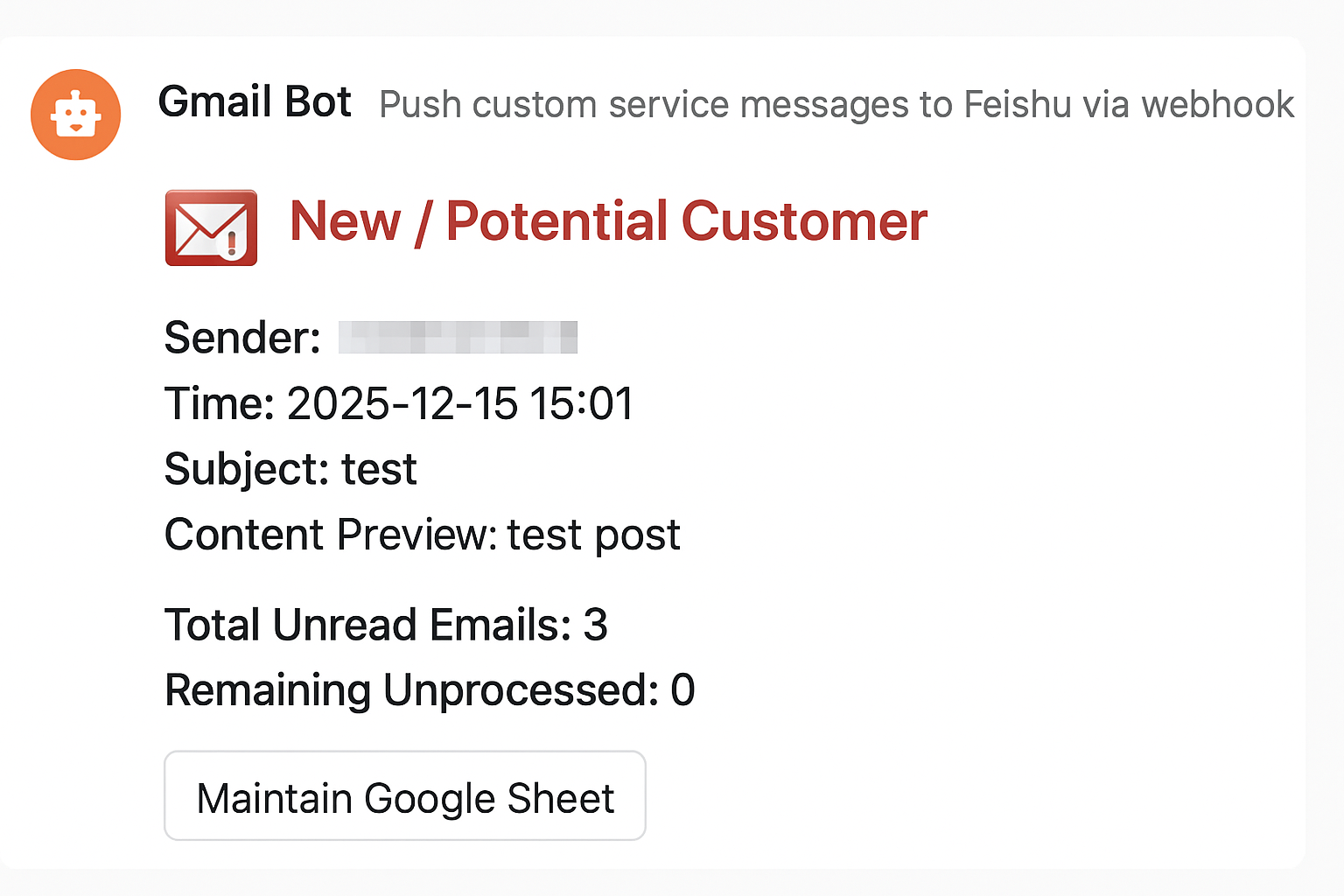
I’m not a senior developer—I’m a product manager, so I need AI coding.
With current AI tools, even the free version of an AI chat bot is more than enough to build a small tool.
You don’t need a development background—just know what you want and let AI act as your knowledge base.
Anyone can quickly produce their own small tools this way.
This guide doesn’t involve any code editing. The goal is to complete this entirely by copying and asking AI questions.
Any general concepts will be explained along the way.
Step 1: Break down the requirement using a general method.
We use Feishu (IM) for work, but we also check Gmail daily. When there’s too much to review (X, Telegram included), it can get overwhelming.
Using the [Person, Condition, Thing] framework, it becomes:
We see Gmail notifications in Feishu.
You could easily swap this with: We see {Gmail notifications} in {work system}.
Step 2: Understand the support you need
Simply put: You want to see B’s notifications in A.
-
A needs to accept external messages
-
B needs to be able to send messages externally
-
A and B need to understand each other’s messages
Step 3: Describe your goal to AI
This is essentially defining the product. This step is where differences matter the most—a good description increases the chances of a good outcome.
Here’s how I asked AI: I have a Feishu webhook. I need Gmail to notify me via the webhook whenever a new email arrives. How do I do this?
-
Feishu webhook: the receiver of messages
-
Gmail: the sender of messages
Compatibility between them? I don’t worry about it—I let AI figure it out.
Step 4: Q&A time
I spent an hour following Gemini Fast’s instructions. Tried a bunch of things, but it didn’t work.
Then I spent 10 minutes following GPT’s instructions—and it worked immediately.
This isn’t to say GPT Free is always better—last time it generated a beautiful demo webpage, it was actually terrible. The point is, with free tools, it’s worth trying a few different AI options.
Here’s the workflow with Gemini
Gemini completely understood what I wanted to do, but its solution was overly complicated.
【Phase 1: Define the plan and core architecture (Q&A)】
In short: It told me to request a bunch of features and configure everything.
AI answer: The workflow has four main steps: GCP setup, Pub/Sub configuration, cross-service authorization, and starting the listener via code.
Summary: No big issues here, but its answer already required some technical expertise.
Step by step, I followed its instructions. Once it started running, the system threw errors.
【Phase 4: Troubleshooting & code fixes (hands-on)】
In short: It got stuck in a loop, repeatedly telling me to check two errors. I checked and fixed them, but it didn’t work, and the AI went haywire.
AI answer:
Error 1: Multiple account login confusion
Error 2: Code version incompatibility
Error 3: Redirect URI mismatch (most common hurdle)
Final suggestion: If configuration issues persist, create a new “Desktop App” client ID in GCP to completely avoid redirect conflicts from Web App types during local authorization.
Summary: In the end, it didn’t fully understand my problem, so I gave up. It basically wanted me to start over.
Then I tried GPT.
After understanding my issue, GPT told me: Just use Google Apps Script.
Perfect—schedule it to run periodically, and that’s it.
That’s when we really started designing the actual functionality.
At first, I thought notifications alone were enough. Then it turned into this:
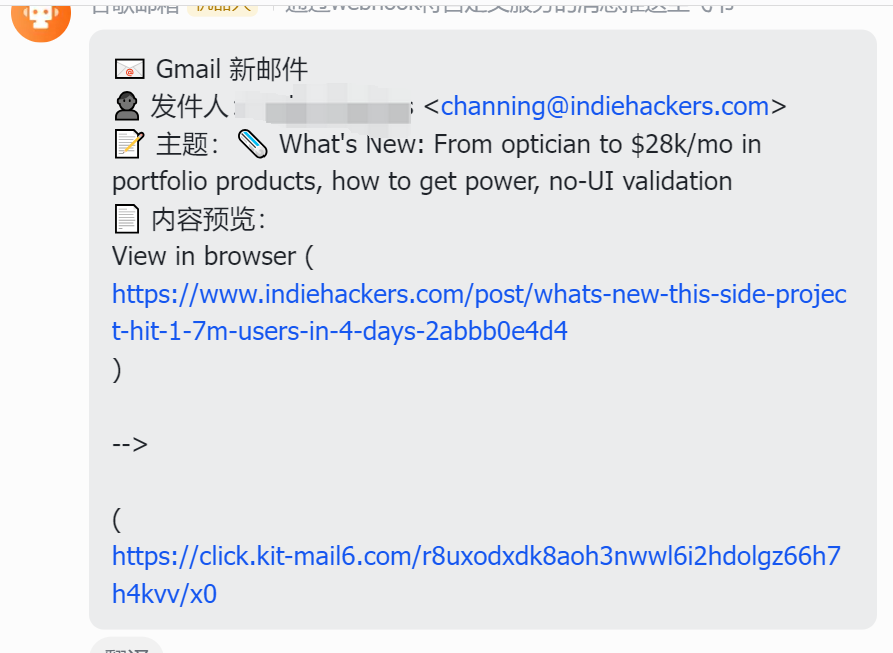
Remember my requirement: We see Gmail notifications in Feishu.
Defining the product is about continually clarifying exactly what you need.
Here’s a simple rule: zoom in
Keep adding qualifiers and descriptors to refine the problem.
Through several rounds of dialogue, I added these requirements:
-
Make it look nicer
-
Differentiate email types (official Google emails, important client emails, subscription emails)
-
Make future subscriptions easy to add
-
Let me manage subscription sources directly in Feishu
AI suggested these solutions:
-
Use Feishu cards
-
Use color coding
-
Maintain subscriptions in Google Sheets
-
Add a button in Feishu cards to manage automatically
It also suggested message timing and formatting. The first three worked well; the last one took an hour. Eventually, I realized Feishu chatbots don’t support GPT’s described method, so I removed that feature. Auto-management wasn’t implemented—but that’s fine, as it wasn’t critical. I maintain it infrequently anyway.
(A small side note: Feishu’s official bot suggested method A if I just mentioned “Feishu bot.” GPT had to read the docs to tell me the official method wouldn’t work.)
From a requirements perspective, it’s now:
We see Gmail notifications in Feishu [at regular intervals], with [source distinction], [time distinction], and [color alerts].
This is the solution we actually implemented.
Finally, my system works like this: Every 30 minutes, Google Apps Script fetches unread emails, matches rules in my Google Sheet, generates color-coded Feishu cards showing sender, subject, preview, and time, and indicates the number of unread emails.
This is the full process of producing this feature.
Here are a few takeaways:
General points
-
Don’t force yourself to know everything—but be able to cross domains quickly to leverage AI effectively
-
Since it’s free AI chat, try multiple bots for the same question and pick the best one
-
AI may get stuck in loops—exit early, and if it can’t be fixed, switch methods
-
The more Q&A rounds, the more constraints AI needs; otherwise, it may misremember
How to use AI to build your own tool without coding or product design knowledge
-
Use [Person, Condition, Thing] to clarify your basic needs
-
Keep enriching with adjectives and qualifiers to fully describe your real requirements
-
Postpone anything that can be done manually and isn’t frequent
This aligns with product design principles.