Applying for and Using a Hong Kong Bank Account
* Truly valuable accounts are often opened long before you actually need them. *
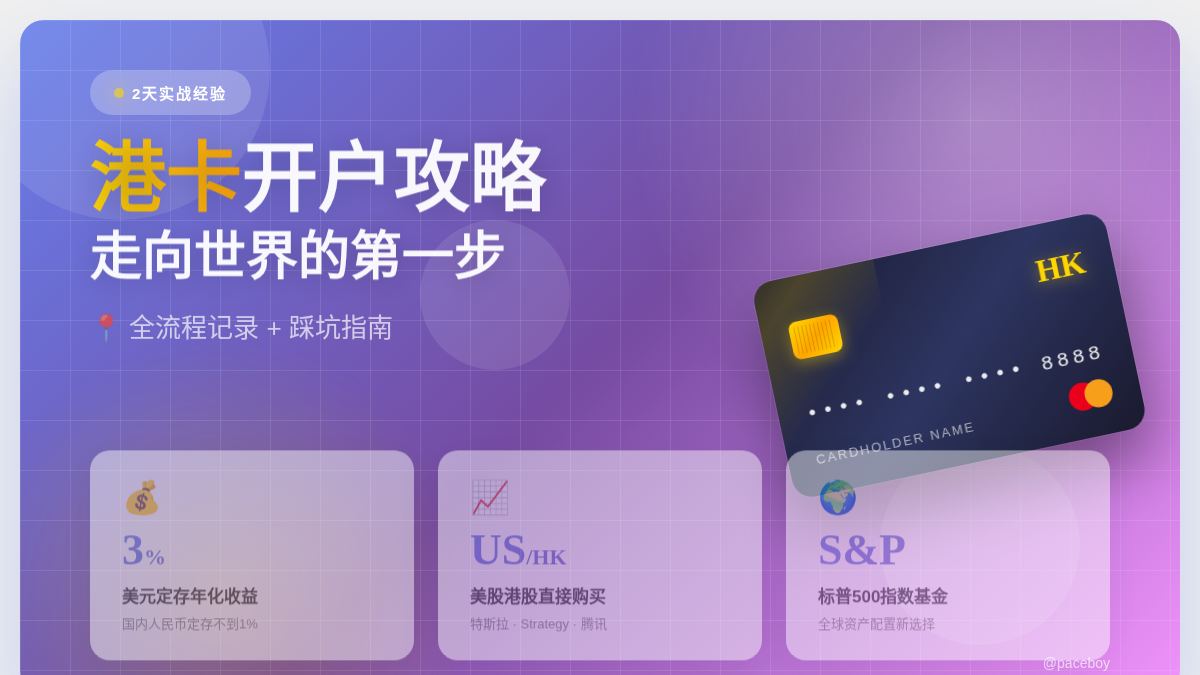
To step onto a more global stage, I spent two days in Hong Kong opening several bank accounts and thoroughly testing their common use cases.
As for the benefits of a Hong Kong bank account—there are many, but just two are compelling enough:
Higher deposit interest rates. If you convert funds in a Hong Kong account to USD, the current annual fixed-deposit interest rate is around 3%, while RMB fixed deposits in mainland China are currently below 1%.
Access to U.S. and Hong Kong stock markets. This opens up an entirely new category of investments, such as the S&P 500 index funds, U.S. stocks like Tesla and Strategy, and Hong Kong stocks like Tencent.
Below is a full record of the entire process, including the pitfalls I encountered.
Opening Bank Accounts
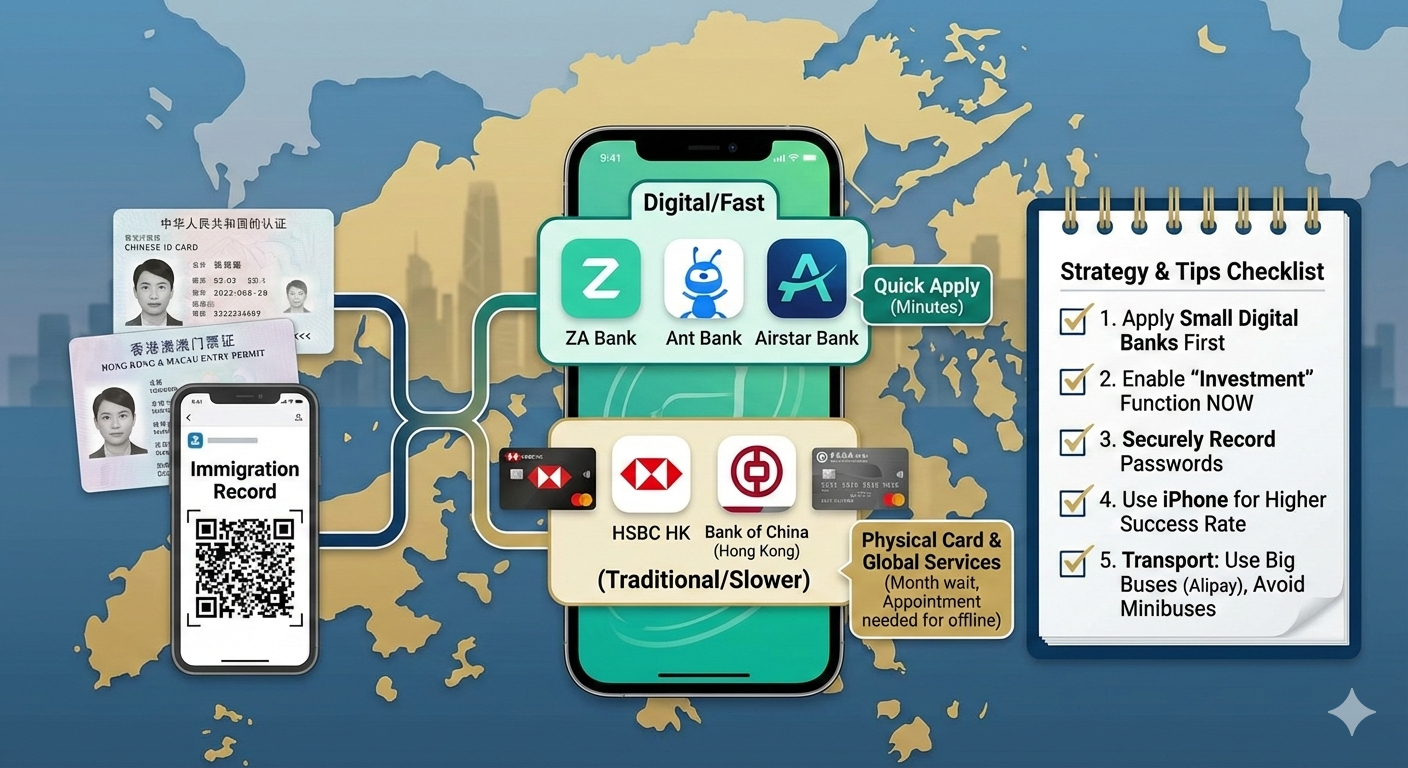
I chose five banks in total:
HSBC Hong Kong, Bank of China (Hong Kong)
Airstar Bank, Ant Bank, ZA Bank
Required documents:
Mainland ID card
Mainland Travel Permit for Hong Kong & Macau
Entry record (can be downloaded via the Immigration mini program)
The first two are traditional banks, which usually issue physical cards, making them convenient for paying for overseas services (e.g., Google Nano).
The latter three are digital banks, which generally do not require physical cards.
Key notes by bank:
HSBC Hong Kong (One Account) Currently, applications can only be submitted online after arriving in Hong Kong. Offline applications using a mainland ID are no longer supported. After submitting the online application, the review process typically takes around one month.
Bank of China (Hong Kong) Offline applications are supported only with a prior appointment. Without one, your application will be rejected. I initially prepared all documents for an in-person application, but was turned away due to the lack of an appointment. I later applied online and received approval immediately. The app became usable right away, but the physical card took about a month to arrive.
⚠️ Important: Be sure to record your username and password, and enable the Mobile Security Code service during registration. If you forget your credentials, recovery is impossible until the physical card arrives.
Airstar Bank / Ant Bank / ZA Bank As digital banks, they require fewer documents. Approval is typically within minutes, and the account can be used immediately.
Tips & Pitfalls
Apply for the three digital banks first, then HSBC and BOCHK. Digital banks are simpler and usually approved within minutes. Also, make sure to enable investment features during application—once you leave Hong Kong, you won’t be able to activate them remotely.
I initially prepared many documents for an offline BOCHK application, all of which turned out to be unnecessary:
Address proof (credit card or utility bill with bank stamp)
Six months of bank statements
Six months of investment statements
Household registration book or work/residence permit
Asset or deposit certificates
If you insist on offline application, the BOCHK Hung Hom branch is recommended—less crowded and close to an HSBC branch.
Always record usernames and passwords immediately. Each bank has different credential rules—don’t trust your memory.
Avoid minibuses. They require Octopus cards or cash. Octopus cards are difficult to obtain without a Hong Kong ID, and drivers often don’t understand Mandarin.
Take buses instead. They support Alipay QR payments, and drivers usually understand Mandarin. Confirm the route before boarding—many routes look similar but go to different destinations. Press the “STOP” button before your stop, or the driver will not stop.
Use an iPhone if possible. Both HSBC and BOCHK applications failed on my Android phone, but succeeded immediately on an iPhone.
How to Use the Accounts
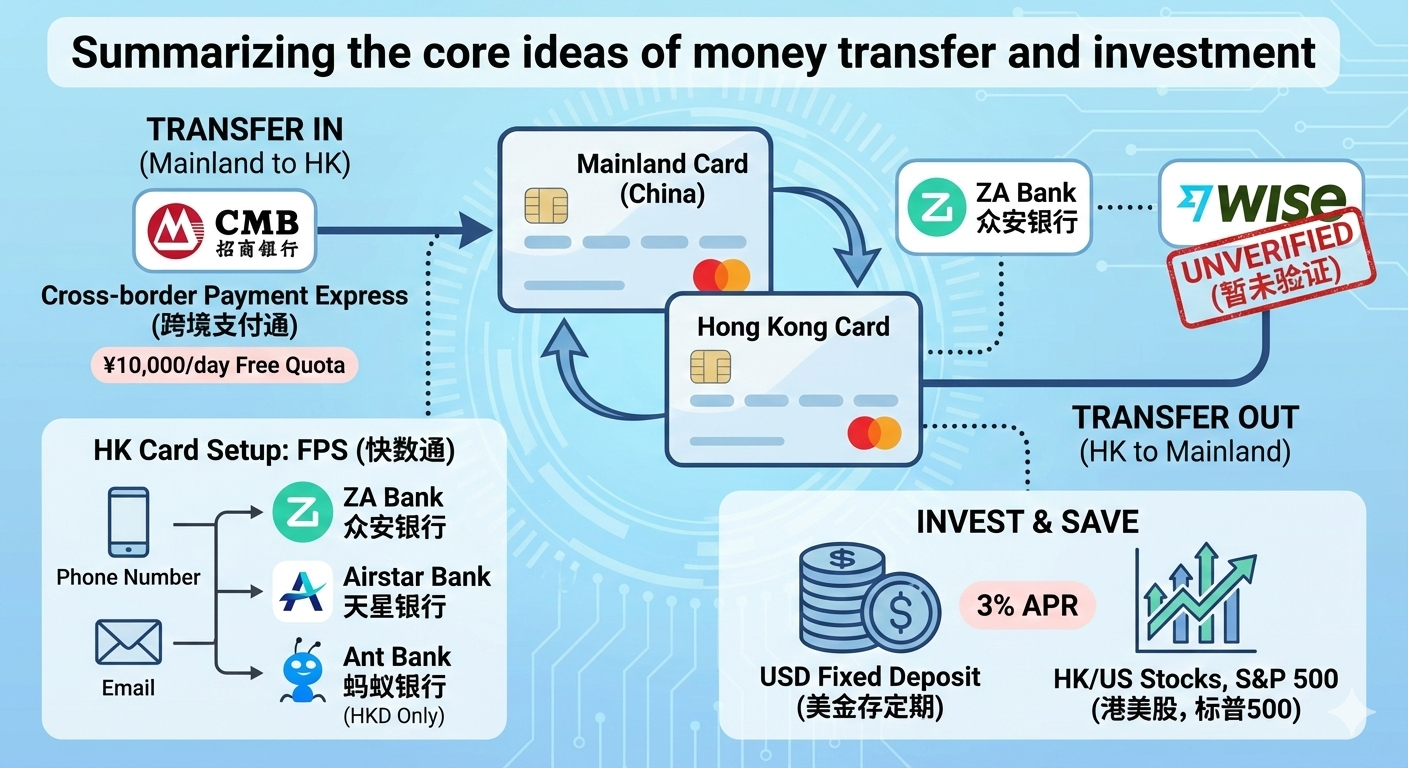
Once the accounts were ready, I began testing fund transfers.
Mainland China → Hong Kong
China Merchants Bank supports transfers via Cross-border Payment Connect, offering a daily free quota of RMB 10,000.
Enable FPS (Faster Payment System) on your Hong Kong accounts. This allows transfers between banks using a phone number or email, without entering bank account numbers.
ZA Bank, Airstar Bank, and Ant Bank all support FPS, but Ant Bank only supports HKD transfers.
Hong Kong → Mainland China
Currently testing transfers via ZA Bank + Wise (not fully verified yet).
I also tested:
Converting RMB to USD and placing it into a fixed deposit at ~3% annual yield
Purchasing Hong Kong stocks, U.S. stocks, and S&P 500 index funds (recommended by Warren Buffett for long-term investing)
Reflections
Since Hong Kong’s return in 1997, I knew Hong Kong only by name. It wasn’t until opening a Hong Kong bank account that I truly felt its role as the world’s third-largest financial center and the benefits it offers. This realization came nearly 30 years late—but it finally began.
The moment I crossed into Hong Kong via the Futian port in Shenzhen, I felt something different. Its civilization, culture, and financial services are genuinely world-class.
When in doubt, ask Qianwen. In the AI era, I once struggled to decide which search tool to use. After reinstalling Qianwen, I realized how dramatically it has evolved. A sigh for my former employer—it started early but arrived late.
Apps to Download in Advance
ZA Bank: https://bank.za.group/hk/app-download
Airstar Bank: https://www.airstarbank.com/zh-hk/signup-now
Ant Bank: https://www.antbank.hk/download-app
Bank of China (Hong Kong): https://www.bochk.com/tc/more/ebanking/apps.html
HSBC Hong Kong: https://www.hsbc.com.hk/zh-hk/ways-to-bank/mobile-apps/banking/