Live Chat Support Solutions for Independent Websites
I. Why an Independent Website Must Have Online Customer Support
For independent websites (SaaS, tools, content sites, e-commerce sites), online customer support is not just a “chat window,” but:
- The final mile of user trust
- The most critical Q&A step before conversion
- The most authentic source of early user feedback
Many independent sites fail not because the product is bad, but because users get stuck on a question and no one responds.
II. Three Implementation Paths for Online Customer Support on Independent Sites
In real projects, online customer support solutions can be divided into three categories:
1️⃣ Fully Self-Built (Next.js + Real-Time Communication)
You implement everything yourself:
- Frontend chat UI
- Real-time communication (WebSocket / Socket.IO / SSE)
- Message storage
- Offline logic
- Email notifications and reply synchronization
Pros
- Full control
- Deep customization
- Can be built into a product-level capability
Cons
- Extremely high cost
- Offline + email replies are very complex
- Almost never worth it for early-stage independent sites
Conclusion: Not recommended for early-stage independent sites or small teams
2️⃣ Third-Party Customer Support Tools (Most Recommended)
Simply embed a JS snippet into your site to get:
- Real-time chat
- Offline messages
- Email notifications
- Replying to users directly via email
- Message storage
- Mobile notifications
Your website (Next.js / Vercel / Cloudflare) only handles display.
3️⃣ Hybrid Approach (Third-Party → Self-Built Later)
A common path is:
Use third-party tools early → user base grows → build your own support system or integrate a more advanced platform
This is the most cost-effective and lowest-risk approach.
III. Core Question: What If No One Is On Duty?
This is a very realistic problem for independent sites.
The answer: mainstream third-party support tools have already solved this natively.
A standard workflow looks like this:
- A user sends a message on the website
- No agent is online, the system switches to “offline mode”
- The user fills in their question and email
- The system automatically emails the support team
- The agent replies directly via email
- The user receives the email or sees the reply on their next visit
👉 Support staff don’t even need to log into the dashboard
IV. Hands-On Analysis of Mainstream Customer Support Tools
This is not a feature checklist, but an analysis from real usage.
Chatway: Best Value for Money
Chatway is a customer support tool that’s very suitable for independent sites.
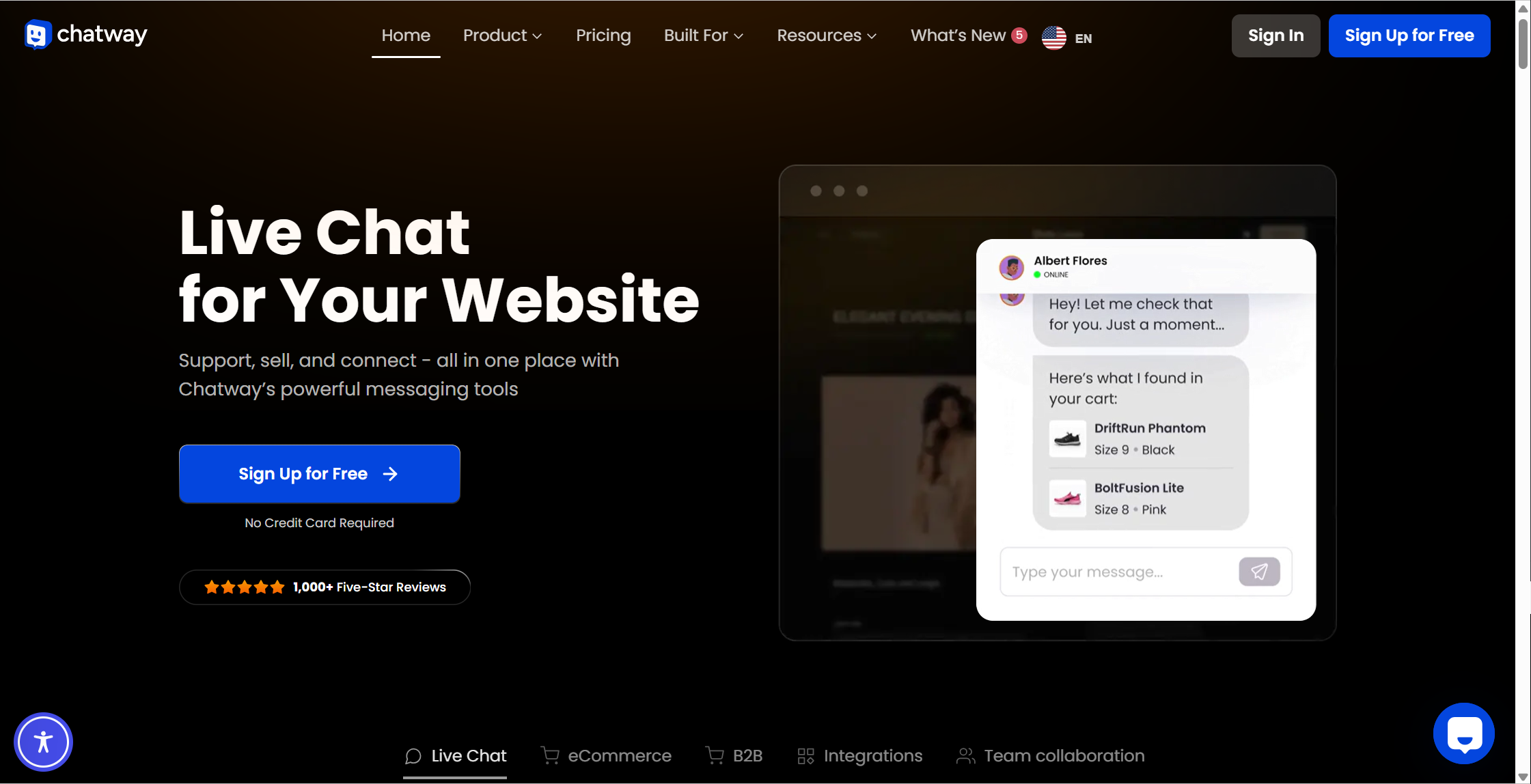
Experience highlights:
- Very fast to set up
- Has a free plan
- Complete offline message + email reply experience
- Provides basic AI auto-replies
- Relatively modern UI
Best for:
- Solo products
- Early-stage independent sites
- Small teams
- Those who want “minimal hassle and fast launch”
Tawk.to: The Fully Free Industry Benchmark
If your budget is zero, Tawk.to is almost the safest choice.
Features:
- Free forever
- Unlimited support agents
- Offline messages automatically sent to email
- Reply to users directly via email
- Very high stability
Drawbacks:
- More traditional UI
- No native AI (requires paid add-ons)
Best for:
- Personal sites
- MVP stage
- Not chasing fancy features, just stability
Crisp: More Like a “Customer Support Inbox”
Crisp unifies chat, email, and notifications into a single inbox.
Features:
- Usable free plan
- Multi-channel integration
- Strong automation capabilities
- Very suitable for team collaboration
Drawbacks:
- Many limitations on the free plan
- Mid-to-high pricing after upgrading
Best for:
- Growing SaaS products
- Multi-agent support teams
- Teams that need structured workflows
Intercom: Enterprise All-in-One Suite
Intercom is more than just customer support—it’s also:
- Customer support
- Marketing
- User behavior analytics
- Automated operations
Features:
- Extremely strong AI, automation, and routing
- Deep user profiling
- Suitable for mature products
Drawbacks:
- No free plan
- Expensive
- Complex configuration
Best for:
- Mid-to-large SaaS companies
- Clear growth goals
- Support as part of the overall operations system
Tidio: E-Commerce & AI Bot Oriented
Tidio focuses more on:
- E-commerce
- Bot-first workflows
- Human fallback
Features:
- Strong AI bot capabilities
- Automatic answers to FAQs
- Supports offline-to-email flow
Drawbacks:
- Limited conversations on the free plan
- Advanced AI features are not cheap
Best for:
- E-commerce sites
- Conversion-driven websites
V. Practical Recommendations for Independent Sites
Based on real development experience, here are some suggestions:
Feature Comparison
| Platform | Free Plan | Real-Time Chat | AI Features | Team / Multi-Agent Support | Best For | Notes |
|---|---|---|---|---|---|---|
| Chatway | ✅ Free plan available | ✅ | ✅ (Built-in AI) | ✅ | Low budget / Easy to use | Simple, great value |
| Tawk.to | ✅ Free forever | ✅ | — (Paid AI add-on) | ✅ | Zero-cost fast launch | Unlimited free agents |
| Crisp | ✅ Free plan available | ✅ | ✅ (Automation) | ✅ | Multi-channel / Automation needs | More features than Tawk |
| Intercom | ❌ No free plan | ✅ | ✅ (AI & Automation) | ✅ (Strong) | Enterprise support / Marketing | Most complete, most expensive |
| Tidio | ✅ Free plan available | ✅ | ✅ (AI bots) | ✅ | E-commerce & multi-channel | Strong AI, paid advanced features |
Pros & Cons Comparison
| Platform | Key Strengths | Main Weaknesses | Best Use Case |
|---|---|---|---|
| Chatway | - Free plan available- Very quick to get started, simple setup- Cheaper than Intercom and Crisp- Built-in basic AI auto-replies- Clean UI | - Limited deep customization- Average API / deep integration- Not suitable for complex workflows | Early-stage products / Personal sites / Small teams👉 Fast launch + low cost + some AI |
| Tawk.to | - Free forever (unlimited agents)- Stable real-time chat- Great mobile app support- Simplest embedding | - No native AI (extra cost)- Basic feature set- Weak UI & automation | Zero-budget projects👉 Websites that just need chat |
| Crisp | - Free plan available- Multi-channel integration (chat, email, etc.)- Mature automation & triggers- Modern UI | - Limited free plan- Mid-to-high pricing when paid- Slight learning curve | Growing SaaS / Small-to-mid teams👉 Automation + multi-channel support |
| Intercom | - Enterprise-grade support & marketing platform- Powerful AI and user analytics- Top-tier routing and automation- Deep API / CRM integrations | - No free plan- Expensive- Complex setup and learning curve | Mid-to-large companies / SaaS👉 Unified support + marketing + growth |
| Tidio | - Real-time chat + AI bots- Very e-commerce friendly- Visual automation builder | - Conversation limits on free plan- Expensive advanced AI & automation- Overkill for content sites | E-commerce sites / Conversion-focused products👉 Let bots handle 80% of inquiries |
Solution Recommendations
- Don’t want to spend money, just need chat 👉 Tawk.to
- Low cost + AI + fast launch 👉 Chatway
- Support + automation + multi-channel 👉 Crisp
- Enterprise-grade, growth-driven, sufficient budget 👉 Intercom
- E-commerce + AI bot first 👉 Tidio
If You’re a Solo Developer or Small Team
Top picks: Tawk.to or Chatway
- Launch in 10 minutes
- Almost zero maintenance cost
If You’re Gaining Users and Need Efficiency
Choose Crisp or Chatway Pro
- Introduce automation, tagging, and basic AI
If You’re a Mature SaaS
Directly consider Intercom
- Or build your own support system
VI. Conclusion: Customer Support Is Not a Feature, It’s Trust
For independent sites:
Support response speed = the speed at which users trust your product
In the early stages, instead of reinventing the wheel:
- Use mature solutions
- Focus your energy on the product and users
When you truly need “full control,” it’s never too late to build your own.
I. Why an Independent Website Must Have Online Customer Support
For independent websites (SaaS, tools, content sites, e-commerce sites), online customer support is not just a “chat window,” but:
- The final mile of user trust
- The most critical Q&A step before conversion
- The most authentic source of early user feedback
Many independent sites fail not because the product is bad, but because users get stuck on a question and no one responds.
II. Three Implementation Paths for Online Customer Support on Independent Sites
In real projects, online customer support solutions can be divided into three categories:
1️⃣ Fully Self-Built (Next.js + Real-Time Communication)
You implement everything yourself:
- Frontend chat UI
- Real-time communication (WebSocket / Socket.IO / SSE)
- Message storage
- Offline logic
- Email notifications and reply synchronization
Pros
- Full control
- Deep customization
- Can be built into a product-level capability
Cons
- Extremely high cost
- Offline + email replies are very complex
- Almost never worth it for early-stage independent sites
Conclusion: Not recommended for early-stage independent sites or small teams
2️⃣ Third-Party Customer Support Tools (Most Recommended)
Simply embed a JS snippet into your site to get:
- Real-time chat
- Offline messages
- Email notifications
- Replying to users directly via email
- Message storage
- Mobile notifications
Your website (Next.js / Vercel / Cloudflare) only handles display.
3️⃣ Hybrid Approach (Third-Party → Self-Built Later)
A common path is:
Use third-party tools early → user base grows → build your own support system or integrate a more advanced platform
This is the most cost-effective and lowest-risk approach.
III. Core Question: What If No One Is On Duty?
This is a very realistic problem for independent sites.
The answer: mainstream third-party support tools have already solved this natively.
A standard workflow looks like this:
- A user sends a message on the website
- No agent is online, the system switches to “offline mode”
- The user fills in their question and email
- The system automatically emails the support team
- The agent replies directly via email
- The user receives the email or sees the reply on their next visit
👉 Support staff don’t even need to log into the dashboard
IV. Hands-On Analysis of Mainstream Customer Support Tools
This is not a feature checklist, but an analysis from real usage.
Chatway: Best Value for Money
Chatway is a customer support tool that’s very suitable for independent sites.
Experience highlights:
- Very fast to set up
- Has a free plan
- Complete offline message + email reply experience
- Provides basic AI auto-replies
- Relatively modern UI
Best for:
- Solo products
- Early-stage independent sites
- Small teams
- Those who want “minimal hassle and fast launch”
Tawk.to: The Fully Free Industry Benchmark
If your budget is zero, Tawk.to is almost the safest choice.
Features:
- Free forever
- Unlimited support agents
- Offline messages automatically sent to email
- Reply to users directly via email
- Very high stability
Drawbacks:
- More traditional UI
- No native AI (requires paid add-ons)
Best for:
- Personal sites
- MVP stage
- Not chasing fancy features, just stability
Crisp: More Like a “Customer Support Inbox”
Crisp unifies chat, email, and notifications into a single inbox.
Features:
- Usable free plan
- Multi-channel integration
- Strong automation capabilities
- Very suitable for team collaboration
Drawbacks:
- Many limitations on the free plan
- Mid-to-high pricing after upgrading
Best for:
- Growing SaaS products
- Multi-agent support teams
- Teams that need structured workflows
Intercom: Enterprise All-in-One Suite
Intercom is more than just customer support—it’s also:
- Customer support
- Marketing
- User behavior analytics
- Automated operations
Features:
- Extremely strong AI, automation, and routing
- Deep user profiling
- Suitable for mature products
Drawbacks:
- No free plan
- Expensive
- Complex configuration
Best for:
- Mid-to-large SaaS companies
- Clear growth goals
- Support as part of the overall operations system
Tidio: E-Commerce & AI Bot Oriented
Tidio focuses more on:
- E-commerce
- Bot-first workflows
- Human fallback
Features:
- Strong AI bot capabilities
- Automatic answers to FAQs
- Supports offline-to-email flow
Drawbacks:
- Limited conversations on the free plan
- Advanced AI features are not cheap
Best for:
- E-commerce sites
- Conversion-driven websites
V. Practical Recommendations for Independent Sites
Based on real development experience, here are some suggestions:
Feature Comparison
| Platform | Free Plan | Real-Time Chat | AI Features | Team / Multi-Agent Support | Best For | Notes |
|---|---|---|---|---|---|---|
| Chatway | ✅ Free plan available | ✅ | ✅ (Built-in AI) | ✅ | Low budget / Easy to use | Simple, great value |
| Tawk.to | ✅ Free forever | ✅ | — (Paid AI add-on) | ✅ | Zero-cost fast launch | Unlimited free agents |
| Crisp | ✅ Free plan available | ✅ | ✅ (Automation) | ✅ | Multi-channel / Automation needs | More features than Tawk |
| Intercom | ❌ No free plan | ✅ | ✅ (AI & Automation) | ✅ (Strong) | Enterprise support / Marketing | Most complete, most expensive |
| Tidio | ✅ Free plan available | ✅ | ✅ (AI bots) | ✅ | E-commerce & multi-channel | Strong AI, paid advanced features |
Pros & Cons Comparison
| Platform | Key Strengths | Main Weaknesses | Best Use Case |
|---|---|---|---|
| Chatway | - Free plan available- Very quick to get started, simple setup- Cheaper than Intercom and Crisp- Built-in basic AI auto-replies- Clean UI | - Limited deep customization- Average API / deep integration- Not suitable for complex workflows | Early-stage products / Personal sites / Small teams👉 Fast launch + low cost + some AI |
| Tawk.to | - Free forever (unlimited agents)- Stable real-time chat- Great mobile app support- Simplest embedding | - No native AI (extra cost)- Basic feature set- Weak UI & automation | Zero-budget projects👉 Websites that just need chat |
| Crisp | - Free plan available- Multi-channel integration (chat, email, etc.)- Mature automation & triggers- Modern UI | - Limited free plan- Mid-to-high pricing when paid- Slight learning curve | Growing SaaS / Small-to-mid teams👉 Automation + multi-channel support |
| Intercom | - Enterprise-grade support & marketing platform- Powerful AI and user analytics- Top-tier routing and automation- Deep API / CRM integrations | - No free plan- Expensive- Complex setup and learning curve | Mid-to-large companies / SaaS👉 Unified support + marketing + growth |
| Tidio | - Real-time chat + AI bots- Very e-commerce friendly- Visual automation builder | - Conversation limits on free plan- Expensive advanced AI & automation- Overkill for content sites | E-commerce sites / Conversion-focused products👉 Let bots handle 80% of inquiries |
Solution Recommendations
- Don’t want to spend money, just need chat 👉 Tawk.to
- Low cost + AI + fast launch 👉 Chatway
- Support + automation + multi-channel 👉 Crisp
- Enterprise-grade, growth-driven, sufficient budget 👉 Intercom
- E-commerce + AI bot first 👉 Tidio
If You’re a Solo Developer or Small Team
Top picks: Tawk.to or Chatway
- Launch in 10 minutes
- Almost zero maintenance cost
If You’re Gaining Users and Need Efficiency
Choose Crisp or Chatway Pro
- Introduce automation, tagging, and basic AI
If You’re a Mature SaaS
Directly consider Intercom
- Or build your own support system
VI. Conclusion: Customer Support Is Not a Feature, It’s Trust
For independent sites:
Support response speed = the speed at which users trust your product
In the early stages, instead of reinventing the wheel:
- Use mature solutions
- Focus your energy on the product and users
When you truly need “full control,” it’s never too late to build your own.