How to use Claude Code
“Automation is not the goal; reliable delivery is the true value.”
I’ve been using Claude Code for over six months now, and ever since the first time I tried it, I haven’t been able to stop.
In the field of programming, it is revolutionary.
The 2/8 principle: it has many powerful features. Here, I will mainly introduce some of the functions I use frequently.
Installation and startup
If you are starting from scratch with it, it’s very simple—just check out this link.
https://code.claude.com/docs/en/quickstart
According to the instructions in the link above, install it in the terminal, and then type the command claude to start vibe coding.

claude--dangerously-skip-permissions
or use this script to execute it: #!/bash/sh claude --dangerously-skip-permissions
Because you find yourself trusting it more and more, even when it causes a problem, it can fix it quickly.
Frequently used features
How to use Claude in unsupported regions?
For regions where Claude is not supported, you can purchase a VPS in a supported region on https://aws.amazon.com, then SSH into the VPS to use Claude Code.
Before using Claude Code, your frontend, backend, and algorithm codebases, as well as requirement documents, are usually separate and often located in different folders. After using Claude Code, your codebases, while still independent, are typically placed in one large folder. This makes it easier for Claude Code to iterate features more quickly.
Claude Code provides many commands, and you can type / to have it suggest available options.
The three commands I use most often are /resume and /compact. The former is used to restore a previous session—if Claude exited unexpectedly last time, you can use /resume to continue the previous session so you don’t have to reintroduce the background to Claude Code. The latter compresses the conversation, saving tokens.
/usage lets you see how many tokens are left in your account, so you don’t need to check the browser frequently.
With Claude Code, you can also have it submit code directly. If your code repository is on GitHub and linked to Vercel, you can give Claude Code a command, and it will trigger the entire pipeline automatically—no need to type Git commands or manually deploy anything.
What do I use Claude Code for?
I use Claude Code for all of my product development.
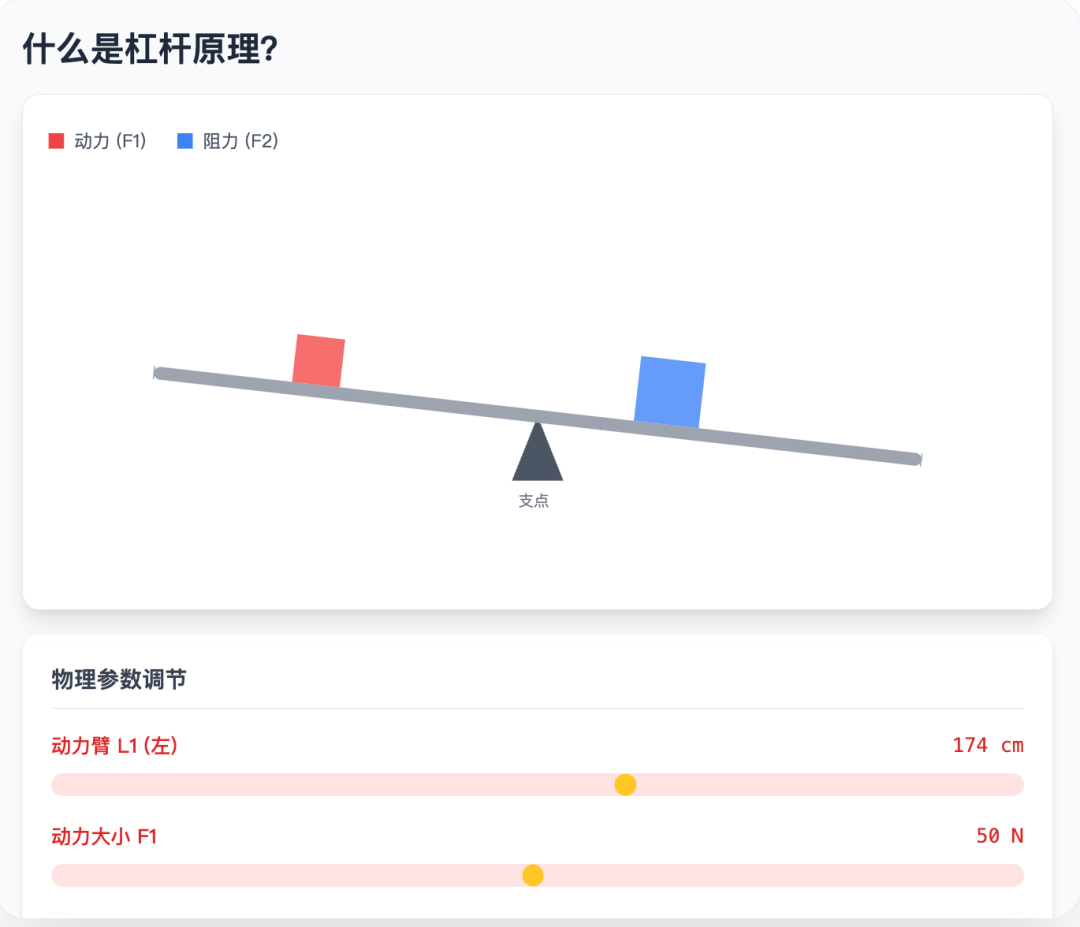
Recently, I spent two days using Claude Code to develop a tool I use frequently, solving one of my pain points: satisfying my curiosity about new things. For example, I wanted to know the difference in the body after three years of aerobic versus anaerobic exercise. Previously, I would search on Douyin for videos or talk to GPT, but they often produced a lot of redundant information, wasting time. Now it’s different—I just enter the query into the tool, and it directly gives me a vivid, interactive diagram.

Previously, it used to take a long time to understand certain principles, but now it can explain them to me in minutes. For example, if I want to know what the principle of leverage is, it can generate a clear, illustrative diagram that gives me a basic understanding.
The above are my recent insights and experiences using Claude Code.