[AI-coding] NTE (Neverness To Everness) Fighting Club Background AFK Script
In the past, if I wanted to write an automation script, I had to modify it step by step myself. Now, gaming is truly enjoyable; I just have the AI write it, and as soon as the event launches, the script is ready to go, and I can start AFK farming immediately.
The result is that I am finally liberated! I’m farming resources abundantly, leaving it on to AFK for a whole day, and just collecting resources after I finish work. It feels amazing.
If you want to see how it works, you can watch the video. If you want the script, just send us an email:yizhiwangxing@gmail.com
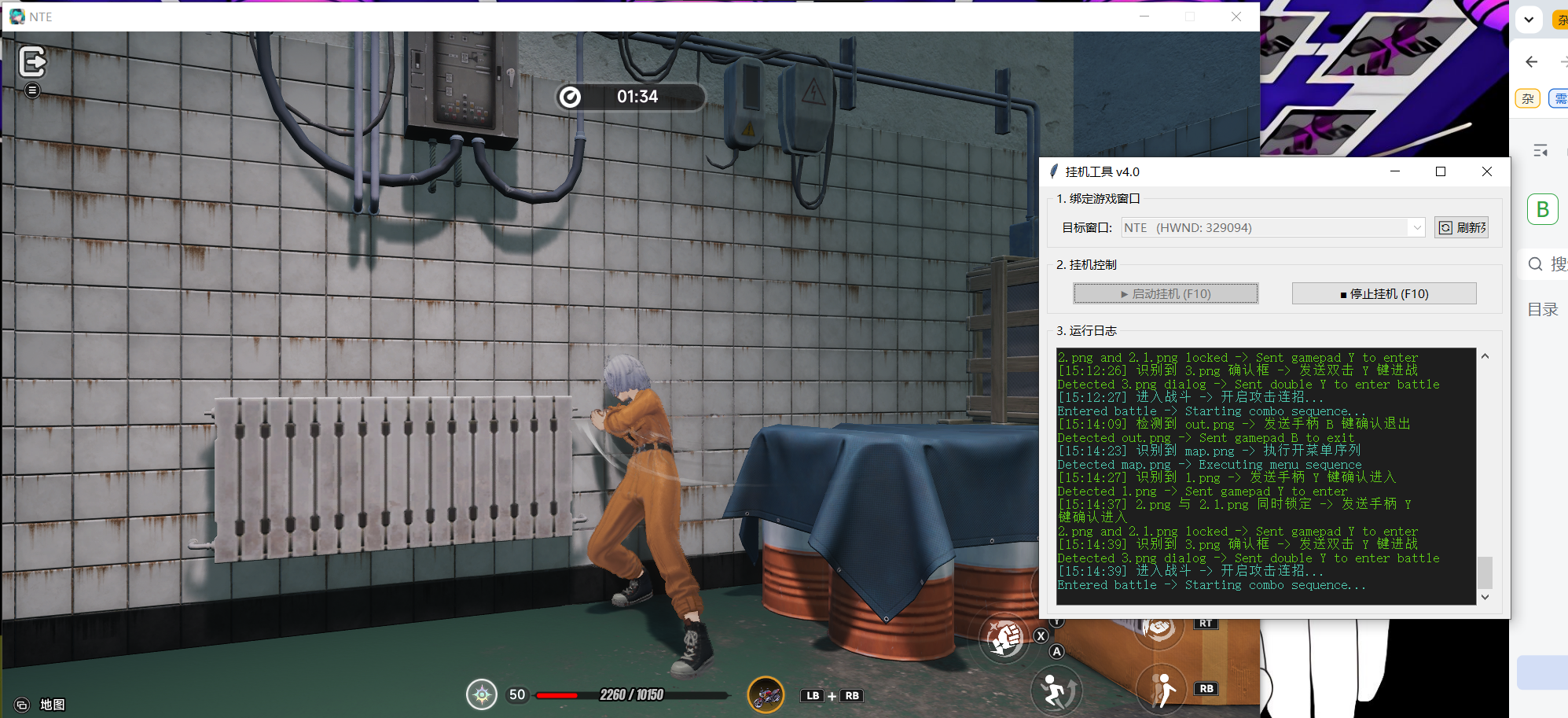
Anyway, I’m going to keep playing the game, and for my own comfort, I will definitely be writing more automation scripts in the future.
Here is the process:
Recently, NTE (Neverness To Everness) launched a new event, the Fighting Club. The event is very simple, but it left me speechless.
To put it bluntly, it's just about going in, spamming basic attacks, and blocking. It’s absolutely brutal on the mouse. In a single match of less than 4 minutes, I clicked at least a thousand times; I felt like my mouse was going to break.
So, based on the success of my previous background fishing scripts, I wanted to experiment with using AI to create an AFK script for this new event.
When I tried earlier, there was one known, massive problem I hadn't solved, which is the biggest headache for background scripts in 3D games: the mouse.
Background scripts cannot send mouse commands using normal methods; the game won't recognize them, as anti-cheat systems are designed to prevent this.
Basically, the solutions the AI gave me at first were ones without pseudo-activation or hardware signatures.
Then, the AI kept trying to experiment using the simplest PostMessage method for the mouse.
I told it that these didn't work, so it suggested I use mouse drivers.
The problem is that things like Logitech mouse drivers or DLL injection don't just hog my mouse; they also carry the risk of getting banned.
Then I started trying to find a workaround, such as sending code to shake the mouse, to make the window think the mouse was moving. Finally, I discovered that even if background sending was successful this way, the physical mouse still had to be at the corresponding coordinates on the window to work. Isn't that meaningless? If it can't let me use the mouse freely, what is the point of a background script?
After searching around, it suddenly occurred to me: this game supports gamepads!!
So I quickly started discussing the feasibility of using a gamepad with the AI.
Finally, I discovered that I only need to install one very small thing: ViGEmBus (a Windows kernel-level driver).
So to summarize, if you want to achieve background AFK:
1、For current PC games, especially 3D games, pure background keyboard operation works, and image recognition is also fine, but you basically cannot send direct mouse commands.
2、If you want to achieve mouse input, you need driver-level tools.
3、If you use a mouse driver, there is no guarantee it won't affect your actual mouse.
4、If the game supports a gamepad, I recommend installing the ViGEmBus driver, which is only a few megabytes, official, non-malicious, and has a small resource footprint.
5、A gamepad fully supports all background AFK operations, it’s just a little bit more troublesome to write the script.
Feel free to check out the source code in my GitHub repository.
https://github.com/garygmauto/nte_tools
Direct download link:
https://github.com/garygmauto/nte_tools/releases/tag/1.0
A special side note: the controller tutorial for this game, NTE, is quite hilarious. Everything you search for online is just advertorial fluff, claiming that their controllers have been "optimized."
My question was very simple: How do I enable a controller for the game?????
The final conclusion is also quite funny: just plug it in, enter the game, operate the controller, and it is automatically recognized.